

掌握 DevOps,方能精通系统设计!
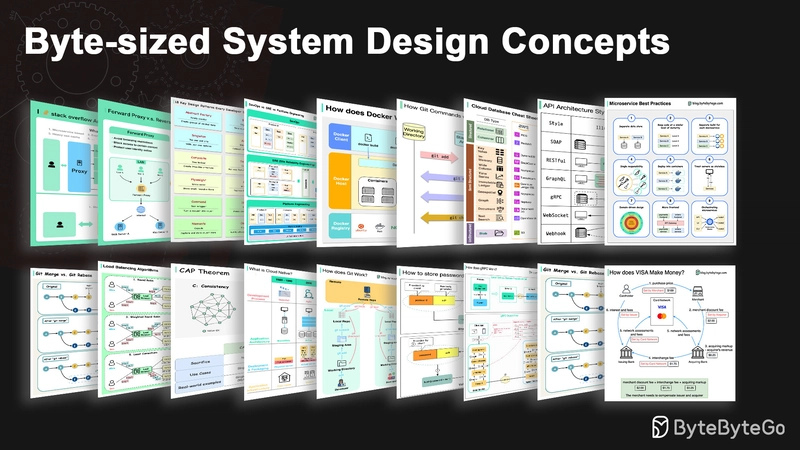
系统设计入门
用图示和简单术语解释复杂系统。
无论您是准备系统设计面试,还是仅仅想了解系统底层的工作原理,我们都希望这个存储库能帮助您实现这一目标。
目录
通信协议
架构风格定义了应用程序编程接口 (API) 的不同组件如何相互交互。因此,它们通过提供设计和构建 API 的标准方法,确保了效率、可靠性以及与其他系统的轻松集成。以下是最常用的几种风格:

-
肥皂:
成熟、全面、基于 XML 的
最适合企业应用
-
RESTful:
常用且易于实现的 HTTP 方法
非常适合网络服务
-
GraphQL:
查询语言,请求特定数据
降低网络开销,加快响应速度
-
gRPC:
现代、高性能的协议缓冲区
适用于微服务架构
-
WebSocket:
实时、双向、持久连接
非常适合低延迟数据交换
-
Webhook:
事件驱动、HTTP回调、异步
事件发生时通知系统
REST API 与 GraphQL
在 API 设计方面,REST 和 GraphQL 各有优缺点。
下图简要对比了 REST 和 GraphQL。

休息
- 使用标准的 HTTP 方法(如 GET、POST、PUT、DELETE)进行 CRUD 操作。
- 当您需要在不同的服务/应用程序之间建立简单、统一的接口时,它能很好地发挥作用。
- 缓存策略的实现很简单。
- 缺点是可能需要多次往返才能从不同的端点收集相关数据。
GraphQL
- 为客户端提供单一的查询接口,以便他们能够精确地查询所需数据。
- 客户端指定嵌套查询中所需的确切字段,服务器返回仅包含这些字段的优化有效负载。
- 支持用于修改数据的变更操作和用于实时通知的订阅操作。
- 非常适合聚合来自多个来源的数据,并且能够很好地满足快速变化的前端需求。
- 然而,这会将复杂性转移到客户端,如果防护措施不当,可能会导致滥用查询。
- 缓存策略可能比 REST 更复杂。
REST 和 GraphQL 的最佳选择取决于应用程序和开发团队的具体需求。GraphQL 非常适合复杂或频繁变化的前端需求,而 REST 则适合那些偏好简单且一致的契约的应用。
两种 API 方案都不是万能的。仔细评估需求和权衡利弊对于选择合适的方案至关重要。REST 和 GraphQL 都是公开数据和驱动现代应用程序的有效选择。
gRPC 的工作原理是什么?
RPC(远程过程调用)之所以被称为“远程”,是因为它能够在微服务架构下,当服务部署在不同的服务器上时,实现远程服务之间的通信。从用户的角度来看,它的行为类似于本地函数调用。
下图展示了gRPC的整体数据流。

第一步:客户端发起 REST 请求。请求体通常采用 JSON 格式。
步骤 2 - 4:订单服务(gRPC 客户端)接收 REST 调用,对其进行转换,然后向支付服务发出 RPC 调用。gRPC 将客户端存根编码为二进制格式,并将其发送到底层传输层。
步骤 5:gRPC 通过 HTTP2 在网络上发送数据包。由于采用了二进制编码和网络优化,gRPC 的速度据称比 JSON 快 5 倍。
步骤 6 - 8:支付服务(gRPC 服务器)从网络接收数据包,解码数据包,并调用服务器应用程序。
步骤 9 - 11:服务器应用程序返回结果,并对其进行编码,然后发送到传输层。
步骤 12 - 14:订单服务接收数据包,解码数据包,并将结果发送给客户端应用程序。
什么是webhook?
下图展示了轮询和 Webhook 的比较。

假设我们运营一个电子商务网站。客户通过 API 网关向订单服务发送订单,订单服务再将订单发送给支付服务进行支付交易。支付服务随后与外部支付服务提供商 (PSP) 通信以完成交易。
与外部支付服务提供商 (PSP) 进行通信有两种方法。
1. 短轮询
支付服务在向支付服务提供商 (PSP) 发送付款请求后,会不断向 PSP 查询付款状态。经过几轮查询后,PSP 最终会返回付款状态。
短轮询有两个缺点:
- 不断轮询状态需要支付服务消耗资源。
- 外部服务直接与支付服务通信,从而造成安全漏洞。
2. Webhook
我们可以向外部服务注册一个 webhook。这意味着:当请求有更新时,通过指定的 URL 向我发送回调。当支付服务提供商 (PSP) 完成处理后,它将发起 HTTP 请求来更新支付状态。
这样一来,编程范式就发生了改变,支付服务不再需要浪费资源来轮询支付状态。
如果支付服务提供商一直不回电怎么办?我们可以设置一个定期检查任务,每小时检查一次付款状态。
Webhook 通常被称为反向 API 或推送 API,因为服务器会向客户端发送 HTTP 请求。使用 Webhook 时,我们需要注意以下三点:
- 我们需要设计一个合适的API供外部服务调用。
- 出于安全考虑,我们需要在 API 网关中设置适当的规则。
- 我们需要在外部服务中注册正确的URL。
如何提升API性能?
下图展示了 5 个提升 API 性能的常用技巧。

分页
当结果集较大时,这是一种常见的优化方法。结果会以流式传输的方式返回给客户端,以提高服务响应速度。
异步日志记录
同步日志记录每次调用都会进行磁盘操作,这可能会降低系统速度。异步日志记录首先将日志发送到无锁缓冲区并立即返回。日志会定期刷新到磁盘。这显著降低了 I/O 开销。
缓存
我们可以将频繁访问的数据存储到缓存中。客户端可以先查询缓存,而不是直接访问数据库。如果缓存未命中,客户端再从数据库查询。像 Redis 这样的缓存将数据存储在内存中,因此数据访问速度比数据库快得多。
有效载荷压缩
可以使用 gzip 等压缩工具对请求和响应进行压缩,从而大大减小传输的数据大小。这可以加快上传和下载速度。
连接池
访问资源时,我们经常需要从数据库加载数据。打开和关闭数据库连接会增加显著的开销。因此,我们应该通过连接池来连接数据库。连接池负责管理连接的生命周期。
HTTP 1.0 -> HTTP 1.1 -> HTTP 2.0 -> HTTP 3.0 (QUIC)
每一代HTTP协议都解决了什么问题?
下图展示了其主要特征。

-
HTTP 1.0 于 1996 年最终定稿并完成文档编写。对同一服务器的每次请求都需要一个单独的 TCP 连接。
-
HTTP 1.1 于 1997 年发布。TCP 连接可以保持打开状态以供重用(持久连接),但这并不能解决队头阻塞问题。
HOL 阻塞 - 当浏览器中允许的并行请求数用完时,后续请求需要等待先前的请求完成。
-
HTTP 2.0 于 2015 年发布。它通过请求复用解决了 HOL 问题,消除了应用层的 HOL 阻塞,但传输层(TCP)仍然存在 HOL。
如图所示,HTTP 2.0 引入了 HTTP“流”的概念:一种抽象概念,允许将不同的 HTTP 数据交换复用到同一个 TCP 连接上。每个流不需要按顺序发送。
-
HTTP 3.0 的第一个草案于 2020 年发布。它是 HTTP 2.0 的拟议继任者。它使用 QUIC 而不是 TCP 作为底层传输协议,从而消除了传输层中的 HOL 阻塞。
QUIC 基于 UDP,它将数据流作为传输层的一等公民。QUIC 数据流共享同一个 QUIC 连接,因此无需额外的握手和慢启动即可创建新连接,但 QUIC 数据流是独立传输的,因此在大多数情况下,一个数据流的丢包不会影响其他数据流。
SOAP vs REST vs GraphQL vs RPC
下图展示了 API 发展历程和 API 风格的对比。
随着时间的推移,出现了不同的API架构风格。每种风格都有其自身的数据交换标准化模式。
您可以在图中查看每种样式的使用案例。

代码优先 vs. API 优先
下图展示了代码优先开发和 API 优先开发之间的区别。为什么我们要考虑 API 优先设计?

- 微服务增加了系统复杂性,我们需要使用独立的服务来承担系统的不同功能。虽然这种架构有利于解耦和职责分离,但我们需要处理服务之间的各种通信。
最好在编写代码之前仔细考虑系统的复杂性,并仔细定义服务的边界。
- 各个职能团队需要使用相同的语言,并且每个职能团队只负责各自的组件和服务。建议组织通过 API 设计来实现语言统一。
我们可以模拟请求和响应,以便在编写代码之前验证 API 设计。
- 提高软件质量和开发人员生产力 由于我们在项目开始时消除了大部分不确定因素,整体开发过程更加顺利,软件质量也得到了极大的提高。
开发人员对这个过程也很满意,因为他们可以专注于功能开发,而不是应对突如其来的变更。
项目生命周期后期出现意外情况的可能性降低。
由于我们先设计了 API,因此可以在代码开发的同时设计测试。从某种意义上说,采用 API 优先开发模式也实现了测试驱动开发 (TDD)。
HTTP 状态码

HTTP响应代码分为五类:
信息性错误(100-199)成功错误(200-299)重定向错误(300-399)客户端错误(400-499)服务器错误(500-599)
API网关的作用是什么?
下图展示了详细信息。

步骤 1 - 客户端向 API 网关发送 HTTP 请求。
步骤 2 - API 网关解析并验证 HTTP 请求中的属性。
步骤 3 - API 网关执行允许列表/拒绝列表检查。
步骤 4 - API 网关与身份提供商通信以进行身份验证和授权。
第五步——对请求应用速率限制规则。如果超过限制,则拒绝该请求。
步骤 6 和 7 - 现在请求已通过基本检查,API 网关通过路径匹配找到要路由到的相关服务。
步骤 8 - API 网关将请求转换为适当的协议,并将其发送到后端微服务。
步骤 9-12:API 网关能够妥善处理错误,并在错误恢复时间过长时采取故障处理措施(熔断)。它还可以利用 ELK(Elastic-Logstash-Kibana)技术栈进行日志记录和监控。我们有时会在 API 网关中缓存数据。
我们如何设计高效且安全的API?
下图展示了典型的 API 设计,并以购物车为例进行说明。

请注意,API 设计不仅仅是 URL 路径设计。大多数情况下,我们需要选择合适的资源名称、标识符和路径模式。设计合适的 HTTP 头部字段或在 API 网关中设计有效的速率限制规则同样重要。
TCP/IP封装
数据是如何在网络中传输的?为什么OSI模型需要这么多层?
下图显示了数据在网络传输过程中如何进行封装和解封装。

步骤 1:当设备 A 通过 HTTP 协议在网络上向设备 B 发送数据时,首先在应用层添加 HTTP 标头。
步骤 2:然后将 TCP 或 UDP 头部添加到数据中。它在传输层被封装到 TCP 段中。头部包含源端口、目标端口和序列号。
步骤 3:然后在网络层用 IP 报头封装这些数据段。IP 报头包含源 IP 地址和目标 IP 地址。
步骤 4:在数据链路层为 IP 数据报添加 MAC 报头,其中包含源 MAC 地址/目标 MAC 地址。
步骤 5:封装后的帧被发送到物理层,并通过网络以二进制位的形式发送。
步骤 6-10:当设备 B 从网络接收到数据后,它会执行解封装过程,该过程是封装过程的逆过程。数据包的头部信息会被逐层移除,最终,设备 B 可以读取数据。
网络模型需要分层结构,因为每一层都专注于自身的职责。每一层都可以依赖头部信息来获取处理指令,而无需了解上一层数据的具体含义。
为什么 Nginx 被称为“反向”代理?
下图显示了 ���𝐨𝐫𝐰𝐚𝐫𝐝 𝐩𝐫𝐨𝐱𝐲 和 𝐫𝐞𝐯𝐞𝐫𝐬𝐞 𝐩𝐫𝐨𝐱𝐲 之间的区别。

正向代理服务器是位于用户设备和互联网之间的服务器。
前向代理通常用于:
- 保护客户
- 绕过浏览限制
- 阻止访问某些内容
反向代理服务器是一种接受客户端请求、将请求转发给 Web 服务器并将结果返回给客户端的服务器,就好像该请求是由代理服务器处理一样。
反向代理适用于:
- 保护服务器
- 负载均衡
- 缓存静态内容
- SSL通信的加密和解密
常见的负载均衡算法有哪些?
下图展示了 6 种常用算法。

- 静态算法
-
循环赛
客户端请求按顺序发送到不同的服务实例。这些服务通常需要是无状态的。
-
粘性循环赛
这是对轮询算法的改进。如果Alice的第一个请求被分配给服务A,那么后续的请求也都会被分配给服务A。
-
加权循环赛
管理员可以为每项服务指定权重。权重越高的服务处理的请求越多。
-
哈希
该算法对传入请求的 IP 地址或 URL 应用哈希函数。根据哈希函数的结果,将请求路由到相关的实例。
- 动态算法
-
最少连接
向并发连接数最少的服务实例发送新的请求。
-
最短响应时间
向响应速度最快的服务实例发送新的请求。
URL、URI、URN——你知道它们之间的区别吗?
下图显示了 URL、URI 和 URN 的比较。

- URI
URI 代表统一资源标识符 (Uniform Resource Identifier)。它用于标识网络上的逻辑或物理资源。URL 和 URN 是 URI 的子类型。URL 用于定位资源,而 URN 用于命名资源。
URI 由以下部分组成:方案:[//authority]路径[?查询][#片段]
- URL
URL 代表统一资源定位符,是 HTTP 协议的核心概念。它是网络上唯一资源的地址。URL 可以与其他协议(例如 FTP 和 JDBC)一起使用。
- 瓮
URN 代表统一资源名称 (Uniform Resource Name)。它使用 urn 方案。URN 不能用于定位资源。图中给出的简单示例由命名空间和特定于该命名空间的字符串组成。
如果您想了解更多相关细节,我推荐您阅读W3C 的说明文档。
CI/CD
CI/CD 流水线简述

第 1 部分 - 包含 CI/CD 的 SDLC
软件开发生命周期 (SDLC) 由几个关键阶段组成:开发、测试、部署和维护。持续集成/持续交付 (CI/CD) 可自动化并集成这些阶段,从而实现更快、更可靠的发布。
当代码推送到 Git 仓库时,会触发自动化构建和测试流程。系统会运行端到端 (e2e) 测试用例来验证代码。如果测试通过,代码即可自动部署到预发布/生产环境。如果发现问题,代码会被送回开发团队进行修复。这种自动化流程能够为开发人员提供快速反馈,并降低生产环境中出现 bug 的风险。
第二部分 - CI 和 CD 的区别
持续集成 (CI) 可自动执行构建、测试和合并流程。它会在每次提交代码时运行测试,以便及早发现集成问题。这鼓励频繁的代码提交和快速反馈。
持续交付 (CD) 可自动化发布流程,例如基础设施变更和部署。它通过自动化工作流程确保软件可以随时可靠地发布。CD 还可以自动化生产部署前所需的手动测试和审批步骤。
第三部分 - CI/CD 流水线
典型的 CI/CD 流水线包含多个相互连接的阶段:
- 开发人员将代码更改提交到源代码控制系统。
- CI 服务器检测到更改并触发构建
- 代码已编译并测试(单元测试、集成测试)
- 测试结果已报告给开发人员
- 成功后,工件将被部署到预发布环境。
- 发布前可能会在测试环境中进行进一步测试。
- CD系统将已批准的变更部署到生产环境。
Netflix 技术栈(CI/CD 流水线)

规划:Netflix 工程团队使用 JIRA 进行规划,使用 Confluence 进行文档编写。
编码:Java 是后端服务的主要编程语言,而其他语言则用于不同的用例。
构建:Gradle 主要用于构建,而 Gradle 插件则用于支持各种使用场景。
打包:软件包及其依赖项被打包到 Amazon 机器映像 (AMI) 中进行发布。
测试:测试强调生产文化中构建混沌工具的重点。
部署:Netflix 使用其自主开发的 Spinnaker 进行金丝雀发布部署。
监控:监控指标集中在 Atlas 中,Kayenta 用于检测异常情况。
事件报告:事件按优先级进行调度,并使用 PagerDuty 进行事件处理。
架构模式
MVC、MVP、MVVM、MVVM-C 和 VIPER
这些架构模式是应用程序开发中最常用的模式之一,无论是在 iOS 还是 Android 平台上。开发者引入这些模式是为了克服早期模式的局限性。那么,它们之间有何区别呢?

- MVC是最古老的模式,可以追溯到近50年前。
- 每个模式都有一个“视图”(V),负责显示内容和接收用户输入。
- 大多数模式都包含一个用于管理业务数据的“模型”(M)。
- “控制器”、“呈现器”和“视图模型”是视图和模型(VIPER 模式中的“实体”)之间的中介器。
每位开发者都应该了解的 18 种关键设计模式
模式是针对常见设计问题的可复用解决方案,能够带来更流畅、更高效的开发流程。它们如同蓝图,指导我们构建更完善的软件结构。以下是一些最流行的模式:

- 抽象工厂:家族创建器 - 将相关项目分组。
- 搭建者:乐高大师 - 一步一步地搭建物体,将创作过程和外观分开。
- 原型:克隆生成器 - 创建完全准备好的示例的副本。
- 单例模式:只有一个实例——一个特殊的类,只有一个实例。
- 适配器:通用插头 - 可连接不同接口的设备。
- 桥接器:功能连接器 - 将对象的工作方式与其功能连接起来。
- 复合:树状构建器 - 形成由简单和复杂部件组成的树状结构。
- 装饰器:自定义器 - 在不改变对象核心的情况下为其添加功能。
- 外观:一站式服务 - 通过一个简化的单一界面代表整个系统。
- 轻巧便携:节省空间 - 高效共享小型可重复使用物品。
- 代理:代表另一个对象,控制访问权限或操作。
- 责任链:请求中继 - 将请求通过一系列对象传递,直到被处理。
- 命令:任务包装器 - 将请求转换为可供执行的对象。
- 迭代器:集合浏览器 - 逐个访问集合中的元素。
- 中介:沟通中心 - 简化不同类别之间的互动。
- Memento:时间胶囊 - 捕捉并恢复物体的状态。
- 观察者:新闻广播器 - 通知类其他对象的变化。
- 访客:熟练的访客 - 在不改变类的情况下向类添加新操作。
数据库
一份关于云服务中不同数据库的简明速查表

为项目选择合适的数据库是一项复杂的任务。数据库选项众多,每个选项都适用于不同的使用场景,这很容易导致选择疲劳。
我们希望这份简明指南能提供高层次的指导,帮助您找到符合项目需求的合适服务,并避免潜在的陷阱。
注:谷歌数据库的使用案例文档有限。尽管我们尽力查阅了现有资料并找到了最佳方案,但部分条目可能仍需进一步完善。
驱动数据库的 8 种数据结构
答案取决于您的具体使用场景。数据可以存储在内存或磁盘上。同样,数据格式也多种多样,例如数字、字符串、地理坐标等等。系统可能是写入密集型或读取密集型。所有这些因素都会影响您对数据库索引格式的选择。

以下是一些最常用的数据索引数据结构:
- 跳跃列表:一种常见的内存索引类型。用于 Redis。
- 哈希索引:一种非常常见的“映射”(或“集合”)数据结构实现方式
- SSTable:磁盘上不可变的“Map”实现
- LSM 树:跳跃表 + SSTable。高写入吞吐量
- B树:基于磁盘的解决方案。读写性能稳定。
- 倒排索引:用于文档索引。在 Lucene 中使用。
- 后缀树:用于字符串模式搜索
- R树:多维搜索,例如查找最近邻
SQL语句在数据库中是如何执行的?
下图展示了该流程。请注意,不同数据库的架构各不相同,图中仅展示了一些常见的架构设计。

步骤 1 - 通过传输层协议(例如 TCP)向数据库发送 SQL 语句。
步骤 2 - 将 SQL 语句发送到命令解析器,在那里进行语法和语义分析,然后生成查询树。
步骤 3 - 将查询树发送给优化器。优化器创建执行计划。
步骤 4 - 将执行计划发送给执行器。执行器从执行中检索数据。
步骤 5 - 访问方法提供执行所需的数据获取逻辑,从存储引擎检索数据。
步骤 6 - 访问方法决定 SQL 语句是否为只读语句。如果查询是只读的(SELECT 语句),则会将其传递给缓冲区管理器进行进一步处理。缓冲区管理器会在缓存或数据文件中查找数据。
步骤 7 - 如果语句是 UPDATE 或 INSERT,则将其传递给事务管理器进行进一步处理。
步骤 8 - 在事务处理期间,数据处于锁定状态。这是由锁管理器保证的,同时也确保了事务的 ACID 特性。
CAP定理
The CAP theorem is one of the most famous terms in computer science, but I bet different developers have different understandings. Let’s examine what it is and why it can be confusing.

CAP theorem states that a distributed system can't provide more than two of these three guarantees simultaneously.
Consistency: consistency means all clients see the same data at the same time no matter which node they connect to.
Availability: availability means any client that requests data gets a response even if some of the nodes are down.
Partition Tolerance: a partition indicates a communication break between two nodes. Partition tolerance means the system continues to operate despite network partitions.
The “2 of 3” formulation can be useful, but this simplification could be misleading.
-
Picking a database is not easy. Justifying our choice purely based on the CAP theorem is not enough. For example, companies don't choose Cassandra for chat applications simply because it is an AP system. There is a list of good characteristics that make Cassandra a desirable option for storing chat messages. We need to dig deeper.
-
“CAP prohibits only a tiny part of the design space: perfect availability and consistency in the presence of partitions, which are rare”. Quoted from the paper: CAP Twelve Years Later: How the “Rules” Have Changed.
-
The theorem is about 100% availability and consistency. A more realistic discussion would be the trade-offs between latency and consistency when there is no network partition. See PACELC theorem for more details.
Is the CAP theorem actually useful?
I think it is still useful as it opens our minds to a set of tradeoff discussions, but it is only part of the story. We need to dig deeper when picking the right database.
Types of Memory and Storage

Visualizing a SQL query

SQL statements are executed by the database system in several steps, including:
- Parsing the SQL statement and checking its validity
- Transforming the SQL into an internal representation, such as relational algebra
- Optimizing the internal representation and creating an execution plan that utilizes index information
- Executing the plan and returning the results
The execution of SQL is highly complex and involves many considerations, such as:
- The use of indexes and caches
- The order of table joins
- Concurrency control
- Transaction management
SQL language
In 1986, SQL (Structured Query Language) became a standard. Over the next 40 years, it became the dominant language for relational database management systems. Reading the latest standard (ANSI SQL 2016) can be time-consuming. How can I learn it?

There are 5 components of the SQL language:
- DDL: data definition language, such as CREATE, ALTER, DROP
- DQL: data query language, such as SELECT
- DML: data manipulation language, such as INSERT, UPDATE, DELETE
- DCL: data control language, such as GRANT, REVOKE
- TCL: transaction control language, such as COMMIT, ROLLBACK
For a backend engineer, you may need to know most of it. As a data analyst, you may need to have a good understanding of DQL. Select the topics that are most relevant to you.
Cache
Data is cached everywhere
This diagram illustrates where we cache data in a typical architecture.

There are multiple layers along the flow.
- Client apps: HTTP responses can be cached by the browser. We request data over HTTP for the first time, and it is returned with an expiry policy in the HTTP header; we request data again, and the client app tries to retrieve the data from the browser cache first.
- CDN: CDN caches static web resources. The clients can retrieve data from a CDN node nearby.
- Load Balancer: The load Balancer can cache resources as well.
- Messaging infra: Message brokers store messages on disk first, and then consumers retrieve them at their own pace. Depending on the retention policy, the data is cached in Kafka clusters for a period of time.
- Services: There are multiple layers of cache in a service. If the data is not cached in the CPU cache, the service will try to retrieve the data from memory. Sometimes the service has a second-level cache to store data on disk.
- Distributed Cache: Distributed cache like Redis holds key-value pairs for multiple services in memory. It provides much better read/write performance than the database.
- Full-text Search: we sometimes need to use full-text searches like Elastic Search for document search or log search. A copy of data is indexed in the search engine as well.
- Database: Even in the database, we have different levels of caches:
- WAL(Write-ahead Log): data is written to WAL first before building the B tree index
- Bufferpool: A memory area allocated to cache query results
- Materialized View: Pre-compute query results and store them in the database tables for better query performance
- Transaction log: record all the transactions and database updates
- Replication Log: used to record the replication state in a database cluster
Why is Redis so fast?
There are 3 main reasons as shown in the diagram below.

- Redis is a RAM-based data store. RAM access is at least 1000 times faster than random disk access.
- Redis leverages IO multiplexing and single-threaded execution loop for execution efficiency.
- Redis leverages several efficient lower-level data structures.
Question: Another popular in-memory store is Memcached. Do you know the differences between Redis and Memcached?
You might have noticed the style of this diagram is different from my previous posts. Please let me know which one you prefer.
How can Redis be used?

There is more to Redis than just caching.
Redis can be used in a variety of scenarios as shown in the diagram.
-
Session
We can use Redis to share user session data among different services.
-
Cache
We can use Redis to cache objects or pages, especially for hotspot data.
-
Distributed lock
We can use a Redis string to acquire locks among distributed services.
-
Counter
We can count how many likes or how many reads for articles.
-
Rate limiter
We can apply a rate limiter for certain user IPs.
-
Global ID generator
We can use Redis Int for global ID.
-
Shopping cart
We can use Redis Hash to represent key-value pairs in a shopping cart.
-
Calculate user retention
We can use Bitmap to represent the user login daily and calculate user retention.
-
Message queue
We can use List for a message queue.
-
Ranking
We can use ZSet to sort the articles.
Top caching strategies
Designing large-scale systems usually requires careful consideration of caching. Below are five caching strategies that are frequently utilized.

Microservice architecture
What does a typical microservice architecture look like?

The diagram below shows a typical microservice architecture.
- Load Balancer: This distributes incoming traffic across multiple backend services.
- CDN (Content Delivery Network): CDN is a group of geographically distributed servers that hold static content for faster delivery. The clients look for content in CDN first, then progress to backend services.
- API Gateway: This handles incoming requests and routes them to the relevant services. It talks to the identity provider and service discovery.
- Identity Provider: This handles authentication and authorization for users.
- Service Registry & Discovery: Microservice registration and discovery happen in this component, and the API gateway looks for relevant services in this component to talk to.
- Management: This component is responsible for monitoring the services.
- Microservices: Microservices are designed and deployed in different domains. Each domain has its own database. The API gateway talks to the microservices via REST API or other protocols, and the microservices within the same domain talk to each other using RPC (Remote Procedure Call).
Benefits of microservices:
- They can be quickly designed, deployed, and horizontally scaled.
- Each domain can be independently maintained by a dedicated team.
- Business requirements can be customized in each domain and better supported, as a result.
Microservice Best Practices
A picture is worth a thousand words: 9 best practices for developing microservices.

When we develop microservices, we need to follow the following best practices:
- Use separate data storage for each microservice
- Keep code at a similar level of maturity
- Separate build for each microservice
- Assign each microservice with a single responsibility
- Deploy into containers
- Design stateless services
- Adopt domain-driven design
- Design micro frontend
- Orchestrating microservices
What tech stack is commonly used for microservices?
Below you will find a diagram showing the microservice tech stack, both for the development phase and for production.

▶️ 𝐏𝐫𝐞-𝐏𝐫𝐨𝐝𝐮𝐜𝐭𝐢𝐨𝐧
- Define API - This establishes a contract between frontend and backend. We can use Postman or OpenAPI for this.
- Development - Node.js or react is popular for frontend development, and java/python/go for backend development. Also, we need to change the configurations in the API gateway according to API definitions.
- Continuous Integration - JUnit and Jenkins for automated testing. The code is packaged into a Docker image and deployed as microservices.
▶️ 𝐏𝐫𝐨𝐝𝐮𝐜𝐭𝐢𝐨𝐧
- NGinx is a common choice for load balancers. Cloudflare provides CDN (Content Delivery Network).
- API Gateway - We can use spring boot for the gateway, and use Eureka/Zookeeper for service discovery.
- The microservices are deployed on clouds. We have options among AWS, Microsoft Azure, or Google GCP. Cache and Full-text Search - Redis is a common choice for caching key-value pairs. Elasticsearch is used for full-text search.
- Communications - For services to talk to each other, we can use messaging infra Kafka or RPC.
- Persistence - We can use MySQL or PostgreSQL for a relational database, and Amazon S3 for object store. We can also use Cassandra for the wide-column store if necessary.
- Management & Monitoring - To manage so many microservices, the common Ops tools include Prometheus, Elastic Stack, and Kubernetes.
Why is Kafka fast
There are many design decisions that contributed to Kafka’s performance. In this post, we’ll focus on two. We think these two carried the most weight.

- The first one is Kafka’s reliance on Sequential I/O.
- The second design choice that gives Kafka its performance advantage is its focus on efficiency: zero copy principle.
The diagram illustrates how the data is transmitted between producer and consumer, and what zero-copy means.
- Step 1.1 - 1.3: Producer writes data to the disk
- Step 2: Consumer reads data without zero-copy
2.1 The data is loaded from disk to OS cache
2.2 The data is copied from OS cache to Kafka application
2.3 Kafka application copies the data into the socket buffer
2.4 The data is copied from socket buffer to network card
2.5 The network card sends data out to the consumer
- Step 3: Consumer reads data with zero-copy
3.1: The data is loaded from disk to OS cache 3.2 OS cache directly copies the data to the network card via sendfile() command 3.3 The network card sends data out to the consumer
Zero copy is a shortcut to save the multiple data copies between application context and kernel context.
Payment systems
How to learn payment systems?

Why is the credit card called “the most profitable product in banks”? How does VISA/Mastercard make money?
The diagram below shows the economics of the credit card payment flow.

1. The cardholder pays a merchant $100 to buy a product.
2. The merchant benefits from the use of the credit card with higher sales volume and needs to compensate the issuer and the card network for providing the payment service. The acquiring bank sets a fee with the merchant, called the “merchant discount fee.”
3 - 4. The acquiring bank keeps $0.25 as the acquiring markup, and $1.75 is paid to the issuing bank as the interchange fee. The merchant discount fee should cover the interchange fee.
The interchange fee is set by the card network because it is less efficient for each issuing bank to negotiate fees with each merchant.
5. The card network sets up the network assessments and fees with each bank, which pays the card network for its services every month. For example, VISA charges a 0.11% assessment, plus a $0.0195 usage fee, for every swipe.
6. The cardholder pays the issuing bank for its services.
Why should the issuing bank be compensated?
- The issuer pays the merchant even if the cardholder fails to pay the issuer.
- The issuer pays the merchant before the cardholder pays the issuer.
- The issuer has other operating costs, including managing customer accounts, providing statements, fraud detection, risk management, clearing & settlement, etc.
How does VISA work when we swipe a credit card at a merchant’s shop?

VISA, Mastercard, and American Express act as card networks for the clearing and settling of funds. The card acquiring bank and the card issuing bank can be – and often are – different. If banks were to settle transactions one by one without an intermediary, each bank would have to settle the transactions with all the other banks. This is quite inefficient.
The diagram below shows VISA’s role in the credit card payment process. There are two flows involved. Authorization flow happens when the customer swipes the credit card. Capture and settlement flow happens when the merchant wants to get the money at the end of the day.
- Authorization Flow
Step 0: The card issuing bank issues credit cards to its customers.
Step 1: The cardholder wants to buy a product and swipes the credit card at the Point of Sale (POS) terminal in the merchant’s shop.
Step 2: The POS terminal sends the transaction to the acquiring bank, which has provided the POS terminal.
Steps 3 and 4: The acquiring bank sends the transaction to the card network, also called the card scheme. The card network sends the transaction to the issuing bank for approval.
Steps 4.1, 4.2 and 4.3: The issuing bank freezes the money if the transaction is approved. The approval or rejection is sent back to the acquirer, as well as the POS terminal.
- Capture and Settlement Flow
Steps 1 and 2: The merchant wants to collect the money at the end of the day, so they hit ”capture” on the POS terminal. The transactions are sent to the acquirer in batch. The acquirer sends the batch file with transactions to the card network.
Step 3: The card network performs clearing for the transactions collected from different acquirers, and sends the clearing files to different issuing banks.
Step 4: The issuing banks confirm the correctness of the clearing files, and transfer money to the relevant acquiring banks.
Step 5: The acquiring bank then transfers money to the merchant’s bank.
Step 4: The card network clears up the transactions from different acquiring banks. Clearing is a process in which mutual offset transactions are netted, so the number of total transactions is reduced.
In the process, the card network takes on the burden of talking to each bank and receives service fees in return.
Payment Systems Around The World Series (Part 1): Unified Payments Interface (UPI) in India
What’s UPI? UPI is an instant real-time payment system developed by the National Payments Corporation of India.
It accounts for 60% of digital retail transactions in India today.
UPI = payment markup language + standard for interoperable payments

DevOps
DevOps vs. SRE vs. Platform Engineering. What is the difference?
The concepts of DevOps, SRE, and Platform Engineering have emerged at different times and have been developed by various individuals and organizations.

DevOps as a concept was introduced in 2009 by Patrick Debois and Andrew Shafer at the Agile conference. They sought to bridge the gap between software development and operations by promoting a collaborative culture and shared responsibility for the entire software development lifecycle.
SRE, or Site Reliability Engineering, was pioneered by Google in the early 2000s to address operational challenges in managing large-scale, complex systems. Google developed SRE practices and tools, such as the Borg cluster management system and the Monarch monitoring system, to improve the reliability and efficiency of their services.
Platform Engineering is a more recent concept, building on the foundation of SRE engineering. The precise origins of Platform Engineering are less clear, but it is generally understood to be an extension of the DevOps and SRE practices, with a focus on delivering a comprehensive platform for product development that supports the entire business perspective.
It's worth noting that while these concepts emerged at different times. They are all related to the broader trend of improving collaboration, automation, and efficiency in software development and operations.
What is k8s (Kubernetes)?
K8s is a container orchestration system. It is used for container deployment and management. Its design is greatly impacted by Google’s internal system Borg.

A k8s cluster consists of a set of worker machines, called nodes, that run containerized applications. Every cluster has at least one worker node.
The worker node(s) host the Pods that are the components of the application workload. The control plane manages the worker nodes and the Pods in the cluster. In production environments, the control plane usually runs across multiple computers, and a cluster usually runs multiple nodes, providing fault tolerance and high availability.
- Control Plane Components
-
API Server
The API server talks to all the components in the k8s cluster. All the operations on pods are executed by talking to the API server.
-
Scheduler
The scheduler watches pod workloads and assigns loads on newly created pods.
-
Controller Manager
The controller manager runs the controllers, including Node Controller, Job Controller, EndpointSlice Controller, and ServiceAccount Controller.
-
Etcd
etcd is a key-value store used as Kubernetes' backing store for all cluster data.
- Nodes
-
Pods
A pod is a group of containers and is the smallest unit that k8s administers. Pods have a single IP address applied to every container within the pod.
-
Kubelet
An agent that runs on each node in the cluster. It ensures containers are running in a Pod.
-
Kube Proxy
Kube-proxy is a network proxy that runs on each node in your cluster. It routes traffic coming into a node from the service. It forwards requests for work to the correct containers.
Docker vs. Kubernetes. Which one should we use?

What is Docker ?
Docker is an open-source platform that allows you to package, distribute, and run applications in isolated containers. It focuses on containerization, providing lightweight environments that encapsulate applications and their dependencies.
What is Kubernetes ?
Kubernetes, often referred to as K8s, is an open-source container orchestration platform. It provides a framework for automating the deployment, scaling, and management of containerized applications across a cluster of nodes.
How are both different from each other ?
Docker: Docker operates at the individual container level on a single operating system host.
You must manually manage each host and setting up networks, security policies, and storage for multiple related containers can be complex.
Kubernetes: Kubernetes operates at the cluster level. It manages multiple containerized applications across multiple hosts, providing automation for tasks like load balancing, scaling, and ensuring the desired state of applications.
In short, Docker focuses on containerization and running containers on individual hosts, while Kubernetes specializes in managing and orchestrating containers at scale across a cluster of hosts.
How does Docker work?
The diagram below shows the architecture of Docker and how it works when we run “docker build”, “docker pull” and “docker run”.

There are 3 components in Docker architecture:
-
Docker client
The docker client talks to the Docker daemon.
-
Docker host
The Docker daemon listens for Docker API requests and manages Docker objects such as images, containers, networks, and volumes.
-
Docker registry
A Docker registry stores Docker images. Docker Hub is a public registry that anyone can use.
Let’s take the “docker run” command as an example.
- Docker pulls the image from the registry.
- Docker creates a new container.
- Docker allocates a read-write filesystem to the container.
- Docker creates a network interface to connect the container to the default network.
- Docker starts the container.
GIT
How Git Commands work
To begin with, it's essential to identify where our code is stored. The common assumption is that there are only two locations - one on a remote server like Github and the other on our local machine. However, this isn't entirely accurate. Git maintains three local storages on our machine, which means that our code can be found in four places:

- Working directory: where we edit files
- Staging area: a temporary location where files are kept for the next commit
- Local repository: contains the code that has been committed
- Remote repository: the remote server that stores the code
Most Git commands primarily move files between these four locations.
How does Git Work?
The diagram below shows the Git workflow.

Git is a distributed version control system.
Every developer maintains a local copy of the main repository and edits and commits to the local copy.
The commit is very fast because the operation doesn’t interact with the remote repository.
If the remote repository crashes, the files can be recovered from the local repositories.
Git merge vs. Git rebase
What are the differences?

When we merge changes from one Git branch to another, we can use ‘git merge’ or ‘git rebase’. The diagram below shows how the two commands work.
Git merge
This creates a new commit G’ in the main branch. G’ ties the histories of both main and feature branches.
Git merge is non-destructive. Neither the main nor the feature branch is changed.
Git rebase
Git rebase moves the feature branch histories to the head of the main branch. It creates new commits E’, F’, and G’ for each commit in the feature branch.
The benefit of rebase is that it has a linear commit history.
Rebase can be dangerous if “the golden rule of git rebase” is not followed.
The Golden Rule of Git Rebase
Never use it on public branches!
Cloud Services
A nice cheat sheet of different cloud services (2023 edition)

What is cloud native?
Below is a diagram showing the evolution of architecture and processes since the 1980s.

Organizations can build and run scalable applications on public, private, and hybrid clouds using cloud native technologies.
This means the applications are designed to leverage cloud features, so they are resilient to load and easy to scale.
Cloud native includes 4 aspects:
-
Development process
This has progressed from waterfall to agile to DevOps.
-
Application Architecture
The architecture has gone from monolithic to microservices. Each service is designed to be small, adaptive to the limited resources in cloud containers.
-
Deployment & packaging
The applications used to be deployed on physical servers. Then around 2000, the applications that were not sensitive to latency were usually deployed on virtual servers. With cloud native applications, they are packaged into docker images and deployed in containers.
-
Application infrastructure
The applications are massively deployed on cloud infrastructure instead of self-hosted servers.
Developer productivity tools
Visualize JSON files
Nested JSON files are hard to read.
JsonCrack generates graph diagrams from JSON files and makes them easy to read.
Additionally, the generated diagrams can be downloaded as images.

Automatically turn code into architecture diagrams

What does it do?
- Draw the cloud system architecture in Python code.
- Diagrams can also be rendered directly inside the Jupyter Notebooks.
- No design tools are needed.
- Supports the following providers: AWS, Azure, GCP, Kubernetes, Alibaba Cloud, Oracle Cloud, etc.
Linux
Linux file system explained

The Linux file system used to resemble an unorganized town where individuals constructed their houses wherever they pleased. However, in 1994, the Filesystem Hierarchy Standard (FHS) was introduced to bring order to the Linux file system.
By implementing a standard like the FHS, software can ensure a consistent layout across various Linux distributions. Nonetheless, not all Linux distributions strictly adhere to this standard. They often incorporate their own unique elements or cater to specific requirements. To become proficient in this standard, you can begin by exploring. Utilize commands such as "cd" for navigation and "ls" for listing directory contents. Imagine the file system as a tree, starting from the root (/). With time, it will become second nature to you, transforming you into a skilled Linux administrator.
18 Most-used Linux Commands You Should Know
Linux commands are instructions for interacting with the operating system. They help manage files, directories, system processes, and many other aspects of the system. You need to become familiar with these commands in order to navigate and maintain Linux-based systems efficiently and effectively.
This diagram below shows popular Linux commands:

- ls - List files and directories
- cd - Change the current directory
- mkdir - Create a new directory
- rm - Remove files or directories
- cp - Copy files or directories
- mv - Move or rename files or directories
- chmod - Change file or directory permissions
- grep - Search for a pattern in files
- find - Search for files and directories
- tar - manipulate tarball archive files
- vi - Edit files using text editors
- cat - display the content of files
- top - Display processes and resource usage
- ps - Display processes information
- kill - Terminate a process by sending a signal
- du - Estimate file space usage
- ifconfig - Configure network interfaces
- ping - Test network connectivity between hosts
Security
How does HTTPS work?
Hypertext Transfer Protocol Secure (HTTPS) is an extension of the Hypertext Transfer Protocol (HTTP.) HTTPS transmits encrypted data using Transport Layer Security (TLS.) If the data is hijacked online, all the hijacker gets is binary code.

How is the data encrypted and decrypted?
Step 1 - The client (browser) and the server establish a TCP connection.
Step 2 - The client sends a “client hello” to the server. The message contains a set of necessary encryption algorithms (cipher suites) and the latest TLS version it can support. The server responds with a “server hello” so the browser knows whether it can support the algorithms and TLS version.
The server then sends the SSL certificate to the client. The certificate contains the public key, host name, expiry dates, etc. The client validates the certificate.
Step 3 - After validating the SSL certificate, the client generates a session key and encrypts it using the public key. The server receives the encrypted session key and decrypts it with the private key.
Step 4 - Now that both the client and the server hold the same session key (symmetric encryption), the encrypted data is transmitted in a secure bi-directional channel.
Why does HTTPS switch to symmetric encryption during data transmission? There are two main reasons:
-
Security: The asymmetric encryption goes only one way. This means that if the server tries to send the encrypted data back to the client, anyone can decrypt the data using the public key.
-
Server resources: The asymmetric encryption adds quite a lot of mathematical overhead. It is not suitable for data transmissions in long sessions.
Oauth 2.0 Explained With Simple Terms.
OAuth 2.0 is a powerful and secure framework that allows different applications to securely interact with each other on behalf of users without sharing sensitive credentials.

The entities involved in OAuth are the User, the Server, and the Identity Provider (IDP).
What Can an OAuth Token Do?
When you use OAuth, you get an OAuth token that represents your identity and permissions. This token can do a few important things:
Single Sign-On (SSO): With an OAuth token, you can log into multiple services or apps using just one login, making life easier and safer.
Authorization Across Systems: The OAuth token allows you to share your authorization or access rights across various systems, so you don't have to log in separately everywhere.
Accessing User Profile: Apps with an OAuth token can access certain parts of your user profile that you allow, but they won't see everything.
Remember, OAuth 2.0 is all about keeping you and your data safe while making your online experiences seamless and hassle-free across different applications and services.
Top 4 Forms of Authentication Mechanisms

-
SSH Keys:
Cryptographic keys are used to access remote systems and servers securely
-
OAuth Tokens:
Tokens that provide limited access to user data on third-party applications
-
SSL Certificates:
Digital certificates ensure secure and encrypted communication between servers and clients
-
Credentials:
User authentication information is used to verify and grant access to various systems and services
Session, cookie, JWT, token, SSO, and OAuth 2.0 - what are they?
These terms are all related to user identity management. When you log into a website, you declare who you are (identification). Your identity is verified (authentication), and you are granted the necessary permissions (authorization). Many solutions have been proposed in the past, and the list keeps growing.

From simple to complex, here is my understanding of user identity management:
-
WWW-Authenticate is the most basic method. You are asked for the username and password by the browser. As a result of the inability to control the login life cycle, it is seldom used today.
-
A finer control over the login life cycle is session-cookie. The server maintains session storage, and the browser keeps the ID of the session. A cookie usually only works with browsers and is not mobile app friendly.
-
To address the compatibility issue, the token can be used. The client sends the token to the server, and the server validates the token. The downside is that the token needs to be encrypted and decrypted, which may be time-consuming.
-
JWT is a standard way of representing tokens. This information can be verified and trusted because it is digitally signed. Since JWT contains the signature, there is no need to save session information on the server side.
-
By using SSO (single sign-on), you can sign on only once and log in to multiple websites. It uses CAS (central authentication service) to maintain cross-site information.
-
By using OAuth 2.0, you can authorize one website to access your information on another website.
How to store passwords safely in the database and how to validate a password?

Things NOT to do
-
Storing passwords in plain text is not a good idea because anyone with internal access can see them.
-
Storing password hashes directly is not sufficient because it is pruned to precomputation attacks, such as rainbow tables.
-
To mitigate precomputation attacks, we salt the passwords.
What is salt?
According to OWASP guidelines, “a salt is a unique, randomly generated string that is added to each password as part of the hashing process”.
How to store a password and salt?
- the hash result is unique to each password.
- The password can be stored in the database using the following format: hash(password + salt).
How to validate a password?
To validate a password, it can go through the following process:
- A client enters the password.
- The system fetches the corresponding salt from the database.
- The system appends the salt to the password and hashes it. Let’s call the hashed value H1.
- The system compares H1 and H2, where H2 is the hash stored in the database. If they are the same, the password is valid.
Explaining JSON Web Token (JWT) to a 10 year old Kid

Imagine you have a special box called a JWT. Inside this box, there are three parts: a header, a payload, and a signature.
The header is like the label on the outside of the box. It tells us what type of box it is and how it's secured. It's usually written in a format called JSON, which is just a way to organize information using curly braces { } and colons : .
The payload is like the actual message or information you want to send. It could be your name, age, or any other data you want to share. It's also written in JSON format, so it's easy to understand and work with. Now, the signature is what makes the JWT secure. It's like a special seal that only the sender knows how to create. The signature is created using a secret code, kind of like a password. This signature ensures that nobody can tamper with the contents of the JWT without the sender knowing about it.
When you want to send the JWT to a server, you put the header, payload, and signature inside the box. Then you send it over to the server. The server can easily read the header and payload to understand who you are and what you want to do.
How does Google Authenticator (or other types of 2-factor authenticators) work?
Google Authenticator is commonly used for logging into our accounts when 2-factor authentication is enabled. How does it guarantee security?
Google Authenticator is a software-based authenticator that implements a two-step verification service. The diagram below provides detail.

There are two stages involved:
- Stage 1 - The user enables Google two-step verification.
- Stage 2 - The user uses the authenticator for logging in, etc.
Let’s look at these stages.
Stage 1
Steps 1 and 2: Bob opens the web page to enable two-step verification. The front end requests a secret key. The authentication service generates the secret key for Bob and stores it in the database.
Step 3: The authentication service returns a URI to the front end. The URI is composed of a key issuer, username, and secret key. The URI is displayed in the form of a QR code on the web page.
Step 4: Bob then uses Google Authenticator to scan the generated QR code. The secret key is stored in the authenticator.
Stage 2 Steps 1 and 2: Bob wants to log into a website with Google two-step verification. For this, he needs the password. Every 30 seconds, Google Authenticator generates a 6-digit password using TOTP (Time-based One Time Password) algorithm. Bob uses the password to enter the website.
Steps 3 and 4: The frontend sends the password Bob enters to the backend for authentication. The authentication service reads the secret key from the database and generates a 6-digit password using the same TOTP algorithm as the client.
Step 5: The authentication service compares the two passwords generated by the client and the server, and returns the comparison result to the frontend. Bob can proceed with the login process only if the two passwords match.
Is this authentication mechanism safe?
-
Can the secret key be obtained by others?
We need to make sure the secret key is transmitted using HTTPS. The authenticator client and the database store the secret key, and we need to make sure the secret keys are encrypted.
-
Can the 6-digit password be guessed by hackers?
No. The password has 6 digits, so the generated password has 1 million potential combinations. Plus, the password changes every 30 seconds. If hackers want to guess the password in 30 seconds, they need to enter 30,000 combinations per second.
Real World Case Studies
Netflix's Tech Stack
This post is based on research from many Netflix engineering blogs and open-source projects. If you come across any inaccuracies, please feel free to inform us.

Mobile and web: Netflix has adopted Swift and Kotlin to build native mobile apps. For its web application, it uses React.
Frontend/server communication: Netflix uses GraphQL.
Backend services: Netflix relies on ZUUL, Eureka, the Spring Boot framework, and other technologies.
Databases: Netflix utilizes EV cache, Cassandra, CockroachDB, and other databases.
Messaging/streaming: Netflix employs Apache Kafka and Fink for messaging and streaming purposes.
Video storage: Netflix uses S3 and Open Connect for video storage.
Data processing: Netflix utilizes Flink and Spark for data processing, which is then visualized using Tableau. Redshift is used for processing structured data warehouse information.
CI/CD: Netflix employs various tools such as JIRA, Confluence, PagerDuty, Jenkins, Gradle, Chaos Monkey, Spinnaker, Atlas, and more for CI/CD processes.
Twitter Architecture 2022
Yes, this is the real Twitter architecture. It is posted by Elon Musk and redrawn by us for better readability.

Evolution of Airbnb’s microservice architecture over the past 15 years
Airbnb’s microservice architecture went through 3 main stages.

Monolith (2008 - 2017)
Airbnb began as a simple marketplace for hosts and guests. This is built in a Ruby on Rails application - the monolith.
What’s the challenge?
- Confusing team ownership + unowned code
- Slow deployment
Microservices (2017 - 2020)
Microservice aims to solve those challenges. In the microservice architecture, key services include:
- Data fetching service
- Business logic data service
- Write workflow service
- UI aggregation service
- Each service had one owning team
What’s the challenge?
Hundreds of services and dependencies were difficult for humans to manage.
Micro + macroservices (2020 - present)
This is what Airbnb is working on now. The micro and macroservice hybrid model focuses on the unification of APIs.
Monorepo vs. Microrepo.
Which is the best? Why do different companies choose different options?

Monorepo isn't new; Linux and Windows were both created using Monorepo. To improve scalability and build speed, Google developed its internal dedicated toolchain to scale it faster and strict coding quality standards to keep it consistent.
Amazon and Netflix are major ambassadors of the Microservice philosophy. This approach naturally separates the service code into separate repositories. It scales faster but can lead to governance pain points later on.
Within Monorepo, each service is a folder, and every folder has a BUILD config and OWNERS permission control. Every service member is responsible for their own folder.
On the other hand, in Microrepo, each service is responsible for its repository, with the build config and permissions typically set for the entire repository.
In Monorepo, dependencies are shared across the entire codebase regardless of your business, so when there's a version upgrade, every codebase upgrades their version.
In Microrepo, dependencies are controlled within each repository. Businesses choose when to upgrade their versions based on their own schedules.
Monorepo has a standard for check-ins. Google's code review process is famously known for setting a high bar, ensuring a coherent quality standard for Monorepo, regardless of the business.
Microrepo can either set its own standard or adopt a shared standard by incorporating the best practices. It can scale faster for business, but the code quality might be a bit different. Google engineers built Bazel, and Meta built Buck. There are other open-source tools available, including Nx, Lerna, and others.
Over the years, Microrepo has had more supported tools, including Maven and Gradle for Java, NPM for NodeJS, and CMake for C/C++, among others.
How will you design the Stack Overflow website?
If your answer is on-premise servers and monolith (on the bottom of the following image), you would likely fail the interview, but that's how it is built in reality!

What people think it should look like
The interviewer is probably expecting something like the top portion of the picture.
- Microservice is used to decompose the system into small components.
- Each service has its own database. Use cache heavily.
- The service is sharded.
- The services talk to each other asynchronously through message queues.
- The service is implemented using Event Sourcing with CQRS.
- Showing off knowledge in distributed systems such as eventual consistency, CAP theorem, etc.
What it actually is
Stack Overflow serves all the traffic with only 9 on-premise web servers, and it’s on monolith! It has its own servers and does not run on the cloud.
This is contrary to all our popular beliefs these days.
Why did Amazon Prime Video monitoring move from serverless to monolithic? How can it save 90% cost?
The diagram below shows the architecture comparison before and after the migration.

What is Amazon Prime Video Monitoring Service?
Prime Video service needs to monitor the quality of thousands of live streams. The monitoring tool automatically analyzes the streams in real time and identifies quality issues like block corruption, video freeze, and sync problems. This is an important process for customer satisfaction.
There are 3 steps: media converter, defect detector, and real-time notification.
-
What is the problem with the old architecture?
The old architecture was based on Amazon Lambda, which was good for building services quickly. However, it was not cost-effective when running the architecture at a high scale. The two most expensive operations are:
-
The orchestration workflow - AWS step functions charge users by state transitions and the orchestration performs multiple state transitions every second.
-
Data passing between distributed components - the intermediate data is stored in Amazon S3 so that the next stage can download. The download can be costly when the volume is high.
-
Monolithic architecture saves 90% cost
A monolithic architecture is designed to address the cost issues. There are still 3 components, but the media converter and defect detector are deployed in the same process, saving the cost of passing data over the network. Surprisingly, this approach to deployment architecture change led to 90% cost savings!
This is an interesting and unique case study because microservices have become a go-to and fashionable choice in the tech industry. It's good to see that we are having more discussions about evolving the architecture and having more honest discussions about its pros and cons. Decomposing components into distributed microservices comes with a cost.
-
What did Amazon leaders say about this?
Amazon CTO Werner Vogels: “Building evolvable software systems is a strategy, not a religion. And revisiting your architecture with an open mind is a must.”
Ex Amazon VP Sustainability Adrian Cockcroft: “The Prime Video team had followed a path I call Serverless First…I don’t advocate Serverless Only”.
How does Disney Hotstar capture 5 Billion Emojis during a tournament?

-
Clients send emojis through standard HTTP requests. You can think of Golang Service as a typical Web Server. Golang is chosen because it supports concurrency well. Threads in Golang are lightweight.
-
Since the write volume is very high, Kafka (message queue) is used as a buffer.
-
Emoji data are aggregated by a streaming processing service called Spark. It aggregates data every 2 seconds, which is configurable. There is a trade-off to be made based on the interval. A shorter interval means emojis are delivered to other clients faster but it also means more computing resources are needed.
-
Aggregated data is written to another Kafka.
-
The PubSub consumers pull aggregated emoji data from Kafka.
-
Emojis are delivered to other clients in real-time through the PubSub infrastructure. The PubSub infrastructure is interesting. Hotstar considered the following protocols: Socketio, NATS, MQTT, and gRPC, and settled with MQTT.
A similar design is adopted by LinkedIn which streams a million likes/sec.
How Discord Stores Trillions Of Messages
The diagram below shows the evolution of message storage at Discord:

MongoDB ➡️ Cassandra ➡️ ScyllaDB
In 2015, the first version of Discord was built on top of a single MongoDB replica. Around Nov 2015, MongoDB stored 100 million messages and the RAM couldn’t hold the data and index any longer. The latency became unpredictable. Message storage needs to be moved to another database. Cassandra was chosen.
In 2017, Discord had 12 Cassandra nodes and stored billions of messages.
At the beginning of 2022, it had 177 nodes with trillions of messages. At this point, latency was unpredictable, and maintenance operations became too expensive to run.
There are several reasons for the issue:
- Cassandra uses the LSM tree for the internal data structure. The reads are more expensive than the writes. There can be many concurrent reads on a server with hundreds of users, resulting in hotspots.
- Maintaining clusters, such as compacting SSTables, impacts performance.
- Garbage collection pauses would cause significant latency spikes
ScyllaDB is Cassandra compatible database written in C++. Discord redesigned its architecture to have a monolithic API, a data service written in Rust, and ScyllaDB-based storage.
The p99 read latency in ScyllaDB is 15ms compared to 40-125ms in Cassandra. The p99 write latency is 5ms compared to 5-70ms in Cassandra.
How do video live streamings work on YouTube, TikTok live, or Twitch?
Live streaming differs from regular streaming because the video content is sent via the internet in real-time, usually with a latency of just a few seconds.
The diagram below explains what happens behind the scenes to make this possible.

Step 1: The raw video data is captured by a microphone and camera. The data is sent to the server side.
Step 2: The video data is compressed and encoded. For example, the compressing algorithm separates the background and other video elements. After compression, the video is encoded to standards such as H.264. The size of the video data is much smaller after this step.
Step 3: The encoded data is divided into smaller segments, usually seconds in length, so it takes much less time to download or stream.
Step 4: The segmented data is sent to the streaming server. The streaming server needs to support different devices and network conditions. This is called ‘Adaptive Bitrate Streaming.’ This means we need to produce multiple files at different bitrates in steps 2 and 3.
Step 5: The live streaming data is pushed to edge servers supported by CDN (Content Delivery Network.) Millions of viewers can watch the video from an edge server nearby. CDN significantly lowers data transmission latency.
步骤 6:观看者的设备解码和解压缩视频数据,并在视频播放器中播放视频。
步骤 7 和 8:如果需要存储视频以供重播,则将编码数据发送到存储服务器,观看者可以稍后从中请求重播。
直播的标准协议包括:
- RTMP(实时消息协议):该协议最初由 Macromedia 开发,用于在 Flash 播放器和服务器之间传输数据。现在,它被用于通过互联网传输视频数据。需要注意的是,像 Skype 这样的视频会议应用程序使用 RTC(实时通信)协议以降低延迟。
- HLS(HTTP Live Streaming):需要 H.264 或 H.265 编码。苹果设备仅支持 HLS 格式。
- DASH(基于 HTTP 的动态自适应流媒体):DASH 不支持苹果设备。
- HLS 和 DASH 都支持自适应比特率流媒体传输。
执照
本作品采用以下许可协议: