

使用 PokéAPI 的 Vanilla JS “这是谁的宝可梦?”游戏
由 Mux 主办的 DEV 全球展示挑战赛:展示你的项目!
还记得“这是谁的宝可梦?”电视游戏吗?我们可以使用PokéAPI构建我们自己的版本!
如果我们调用fetch这个端点(并指定只返回前 151 个宝可梦),我们将得到一个结果数组:
(async () => {
  const res = await fetch('https://pokeapi.co/api/v2/pokemon?limit=151');
  const json = await res.json();

  console.log(json.results);
})();

// Logs:
[
  {name: 'bulbasaur', url: 'https://pokeapi.co/api/v2/pokemon/1/'},
  {name: 'ivysaur', url: 'https://pokeapi.co/api/v2/pokemon/2/'},
  {name: 'venusaur', url: 'https://pokeapi.co/api/v2/pokemon/3/'},
 // ...
]
每个对象内部的该url属性是宝可梦专属的端点,可以通过该端点获取有关该角色的更多信息。在这个 JSON 数据中,会包含一个类似这样的精灵图 URL:https://raw.githubusercontent.com/PokeAPI/sprites/master/sprites/pokemon/1.png
这是宝可梦的精灵图#1:
由于我们在原始数据中看到妙蛙种子的url属性显示了它的编号(1),并且这个编号与精灵 URL 中使用的编号相同,因此我们可以仅使用这个原始请求来获取创建“这是谁的宝可梦?”游戏所需的所有信息:

该项目的完整代码托管在此处,但本文的其余部分将展示使该项目正常运行所需的核心组件。
首先,我们的HTML结构如下:
<main class="fetching">

  <div id="pokemon-container">
    <img id="pokeball" src="background.jpg">
    <img id="pokemon-image" src="placeholder.png">
  </div>

  <div id="answer">
    <div id="bg-overlay"></div>
    <div id="text-overlay"></div>
  </div>

  <section id="controls">
    <button id="play">Play</button>
    <div id="choices"></div>
  </section>
</main>
数据#pokemon-image源将动态设置以显示精选宝可梦,元素#choices将填充来自 PokéAPI 数据的多项选择题答案。实现所需功能的步骤如下:
getPokeData = async function() {
  const pokemon = await getPokemon(); // #1
  const randomPokemon = shuffle(pokemon); // #2
  const pokemonChoices = get4Pokemon(randomPokemon); // #3
  const [ firstPokemon ] = pokemonChoices; // #4
  const image = getPokemonImage(firstPokemon); // # 5

  return {
    pokemonChoices: shuffle(pokemonChoices),
    correct: {
      image,
      name: firstPokemon.name,
    }
  };
};
1) 获取包含 151 个宝可梦对象的数组(如上所示)。
2)打乱数组顺序,我们可以向用户显示随机分组:
function shuffle(unshuffled) {
  const shuffled = unshuffled
    .map((value) => ({ value, sort: Math.random() }))
    .sort((a, b) => a.sort - b.sort)
    .map(({ value }) => value);

  return shuffled;
}
3)保存打乱顺序后的数组中的前 4 个对象:
function get4Pokemon(randomPokemon) {
  return randomPokemon.splice(0, 4);
}
4)保存对第一个宝可梦对象(我们将要介绍的那个)的引用。
5) 返回一个包含 4 个宝可梦选项(再次打乱顺序)的对象,以及一个“正确”的对象,其中包含所选宝可梦的名称和要显示的图片 URL:
function getPokemonImage({ url }) {
  const number = getNumber(url);
  return `https://raw.githubusercontent.com/PokeAPI/` +
  `sprites/master/sprites/pokemon/${number}.png`;
};

function getNumber(url) {
  const numberRegEx = /(\d+)\/$/;
  return (url.match(numberRegEx) || [])[1];
}
然后,我们将把这个 URL 源插入到我们的元素中,并使用 CSS<img id="pokemon-image">设置 PNG 的亮度:0
#pokemon-image {
  transform: scale(2.5);
  filter: brightness(0);
  transition: filter .5s ease-out;
}
#choices并通过回答按钮生成我们的内容:
const { pokemonChoices } = gameData;
const choicesHTML = pokemonChoices.map(({ name }) => {
  return `<button data-name="${name}">${name}</button>`;
}).join('');

choices.innerHTML = choicesHTML;
一旦我们连接了一些额外的事件处理程序和逻辑来检查dataset.name所选内容是否与正确的宝可梦匹配,我们就可以切换一些类来显示正确答案并显示全彩宝可梦图像!

项目代码可在此处获取:https://github.com/doctafaustus/whos-that-pokemon
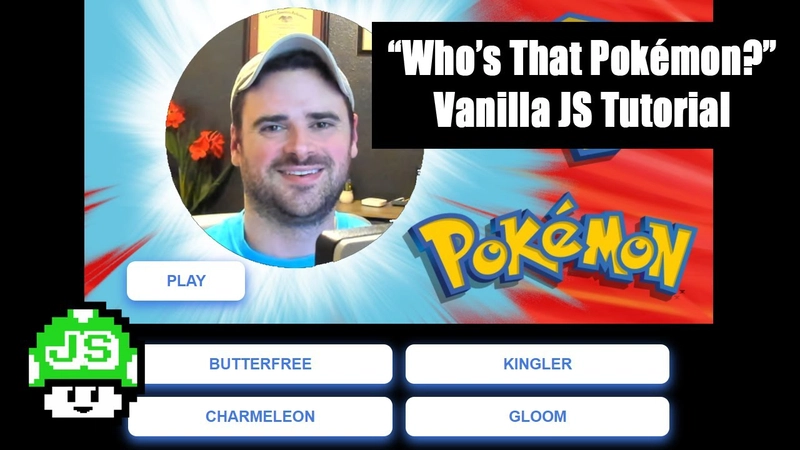
完整YouTube教程:
哟!我经常分享这类简短实用的小贴士。想看更多的话就关注我吧!🍿
我在TikTok和Twitter上都有账号,而且我即将推出一门新的调试课程!
文章来源:https://dev.to/js_bits_bill/vanilla-js-who-s-that-pokemon-game-with-pokeapi-34m4