一个新的材质时间选择器组件
ngx-mat-timepicker
我想介绍一个Material 时间选择器组件。如果您使用过 Angular Material,您可能了解这个常见问题:人们迫切需要选择时间,而不仅仅是日期。我以前也是其中之一。
遗憾的是,很多现有的库都过时了,要么用户界面不够友好,要么功能不符合我的项目需求,要么存在一些bug。我最终只能从两个库中选择,而且没有一个能完全满足我的需求。
我们走吧
在开始之前,让我先简单介绍一下。时间选择器基于Material Design 设计规范。您几乎感觉不到它使用的是第三方库。
安装库:
npm install --save @dhutaryan/ngx-mat-timepicker
或者
yarn add @dhutaryan/ngx-mat-timepicker
可惜,所有好名字都用完了🫣
导入MatTimepickerModule到MatNativeDateTimeModule您的模块中。
import { MatNativeDateTimeModule, MatTimepickerModule } from "@dhutaryan/ngx-mat-timepicker";

@NgModule({
  imports: [
    // ...
    MatTimepickerModule,
    MatNativeDateTimeModule,
    // ...
  ],
})
export class MyModule {}
默认适配器使用原生 JavaScript 日期格式。您可以创建自己的适配器并使用任何您想要的格式。
添加必要的样式:
@use "@angular/material" as mat;
@use "@dhutaryan/ngx-mat-timepicker" as mat-timepicker;

$my-theme: mat.define-light-theme(...);

// timepicker uses these component
@include mat.form-field-theme($my-theme);
@include mat.input-theme($my-theme);
@include mat.button-theme($my-theme);
@include mat.fab-theme($my-theme);
@include mat.icon-button-theme($my-theme);
@include mat.divider-theme($my-theme);

// timepicker theme
@include mat-timepicker.timepicker-theme($my-theme);
我们的时间选择器已经设置好了。现在可以使用它了:
<mat-form-field>
  <input type="text" matInput [matTimepicker]="timepicker" />
  <mat-timepicker-toggle matSuffix [for]="timepicker"></mat-timepicker-toggle>
  <mat-timepicker #timepicker></mat-timepicker>
</mat-form-field>
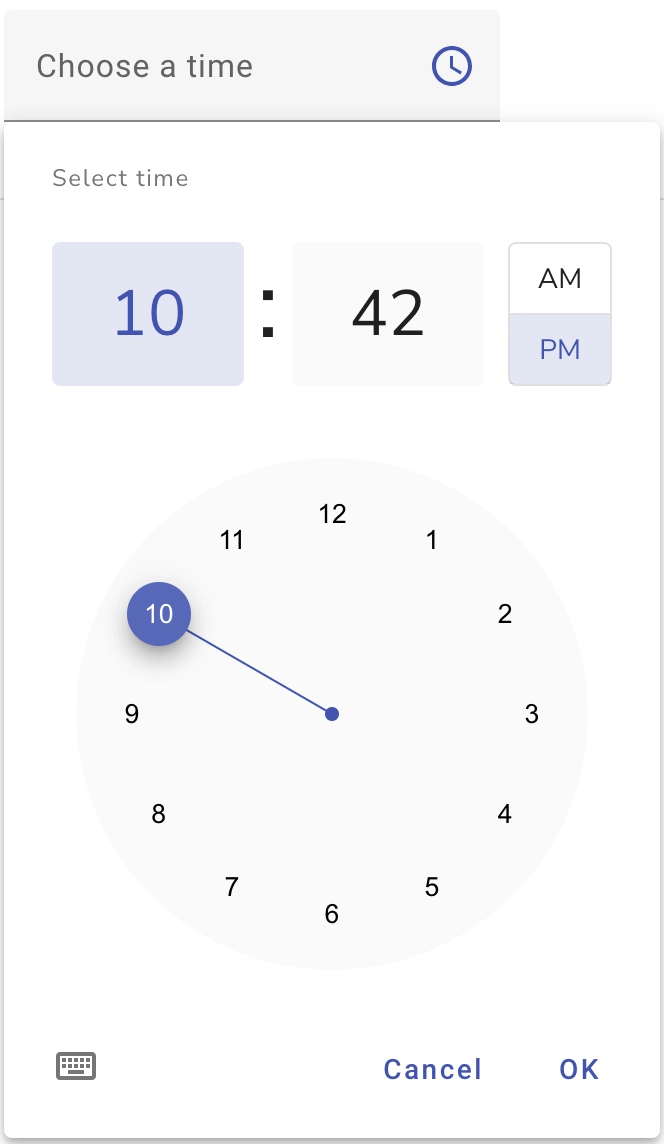
如果您更喜欢其他演示模式,也可以使用:
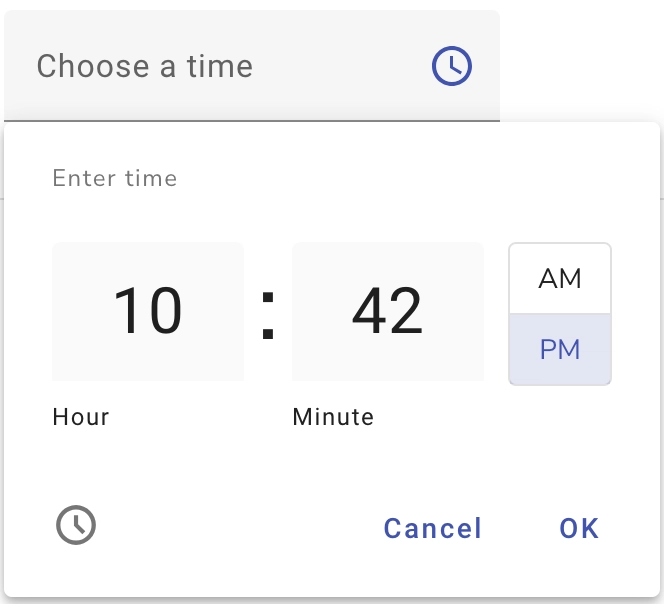
看起来像是棱角分明的材料,对吧?
您可以在文档页面找到更多使用示例。
简要介绍其部分功能:
- 12小时/24小时制
- 拨号/输入模式
- 弹出/对话框视图
- 最小/最大时间
- 不同的调色板
- 自定义操作按钮
- 分钟间隔
- 触摸模式
接下来是什么?
有些事情需要实现。其中一些与适配器有关。如果能有一个可直接使用的、兼容 Moment 和 Luxon 的适配器就更好了。还要让组件成为独立组件等等。
我乐于回答任何问题,也欢迎随时提出问题。不胜感激。
基于 Material Design 的 Material Time Picker
ngx-mat-timepicker


使用 Angular Material 的时间选择器模块。
版本
| 垫时间选择器 |
角 |
| 18.xx |
>=18.0.0 |
| 17.xx |
^17.0.0 |
| 16.xx |
^16.0.0 |
| 15.xx |
^15.0.0 |
| 14.xx |
^14.0.0 |
| 13.xx |
版本大于等于 13.0.0 且小于 15.0.0 |
| 12.xx |
版本大于等于 12.0.0 且小于 15.0.0 |
文档
请查看相关文档。
安装
您需要安装并配置 Angular Material。了解更多配置信息。
安装库:
$ npm install --save @dhutaryan/ngx-mat-timepicker
或者
$ yarn add @dhutaryan/ngx-mat-timepicker
入门
导入MatTimepickerModule到您的项目中。
import { MatTimepickerModule } from "@dhutaryan/ngx-mat-timepicker";

@NgModule({
  imports: [
    // ...
    MatTimepickerModule,
    // ...
  ],
})
export class MyModule {}
适配器
添加时间选择器适配器。
import { MatTimepickerModule, provideNativeDateTimeAdapter } from "@dhutaryan/ngx-mat-timepicker";

@NgModule({
  imports: [
    // ...
    MatTimepickerModule,
    // ...
  ],
  providers: [provideNativeDateTimeAdapter()]
})
export class MyModule {}
或者创建你自己的
import {…
文章来源:https://dev.to/dhutaryan/a-new-material-timepicker-component-51aj




