🚀 掌握高级复杂 React useContext 与 useReducer ⭐(类似 Redux 的风格)⭐
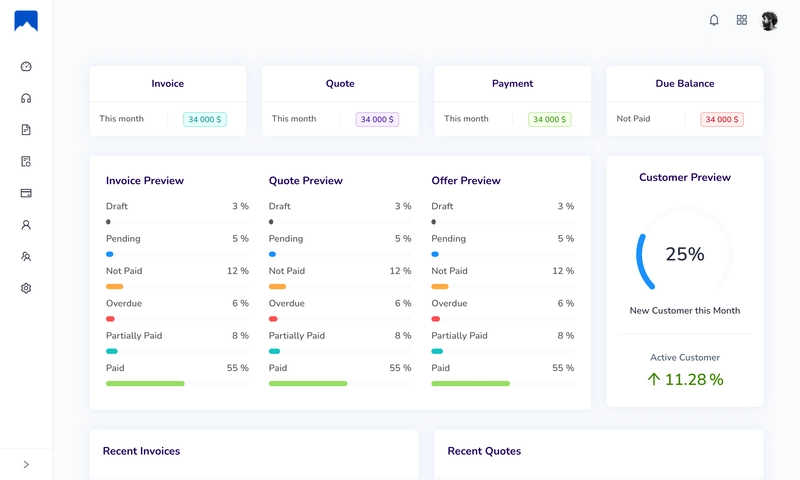
基于Node.js和React.js的开源ERP CRM
基于Node.js和React.js的开源ERP CRM
如何使用 useReducer(Redux 风格)创建高级复杂的 React 上下文
React Context API 是一项强大的功能,它允许你在组件之间共享数据,而无需将 props 向下传递到组件树的底层。虽然它非常适合简单的用例,但管理复杂的状态和操作可能会变得具有挑战性。
在本教程中,我们将探索如何使用useReducerhook 创建一个高级的复杂 React Context,它提供了一种类似 Redux 的状态管理方法。
先决条件
要学习本教程,请确保您对 React 及其 hooks 的使用有基本的了解。熟悉 Redux 及其 reducer 的概念也会有所帮助。
Github仓库:
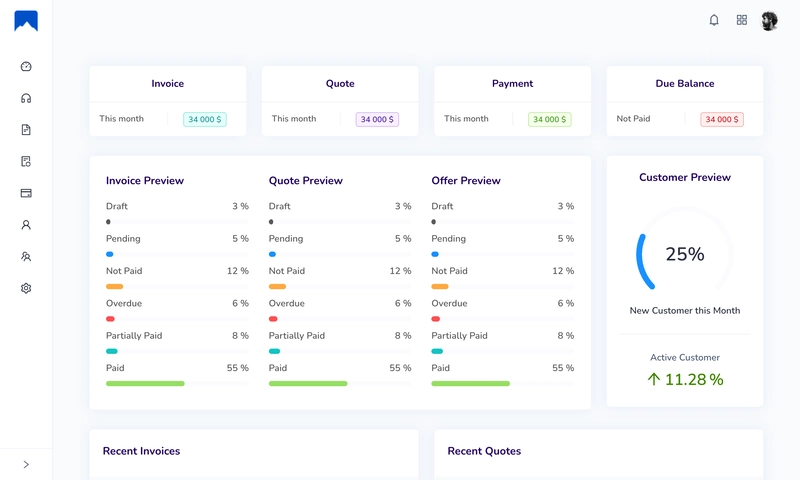
@IDURAR,我们在开源ERP CRM中采用了这种方法。
GitHub 代码库:https://github.com/idurar/idurar-erp-crm
项目设置
在深入探讨实现细节之前,我们先来设置项目。首先,使用 . 创建一个新的 React 应用create-react-app。打开终端并运行以下命令:
npx create-react-app react-context-with-useReducer
项目设置完成后,导航至项目目录:
cd react-context-with-useReducer
创建上下文提供程序
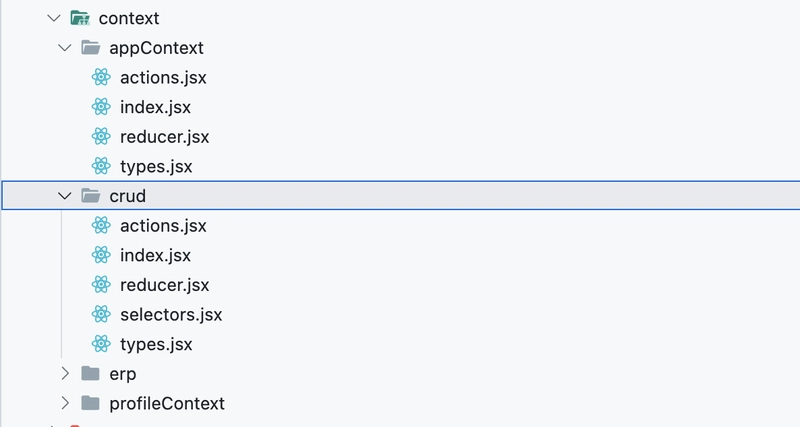
接下来,我们将index.js在名为 `<directory_name>` 的新目录中创建一个名为 `<file_name>` 的新文件appContext。该文件将包含我们的上下文提供程序组件。
import React, { useMemo, useReducer, createContext, useContext } from 'react';
import { initialState, contextReducer } from './reducer';
import contextActions from './actions';

const AppContext = createContext();

function AppContextProvider({ children }) {
  const [state, dispatch] = useReducer(contextReducer, initialState);
  const value = useMemo(() => [state, dispatch], [state]);

  return <AppContext.Provider value={value}>{children}</AppContext.Provider>;
}

function useAppContext() {
  const context = useContext(AppContext);
  if (context === undefined) {
    throw new Error('useAppContext must be used within a AppContextProvider');
  }
  const [state, dispatch] = context;
  const appContextAction = contextActions(dispatch);
  // const appContextSelector = contextSelectors(state);
  return { state, appContextAction };
}

export { AppContextProvider, useAppContext };
在这段代码中,我们定义了一个名为 `Context` 的 React 上下文AppContext,并提供了一个名为 `ContextProvider` 的上下文提供程序组件AppContextProvider。它还包含一个名为 `ContextProvider` 的自定义 Hook,useAppContext用于访问上下文值。上下文使用 reducer 和初始状态进行初始化。`ContextProvider` 组件AppContextProvider包裹子组件并提供上下文值。`ContextProvider` useAppContextHook 允许访问与上下文相关的状态和操作。这种设置使得在 React 应用程序中的不同组件之间共享状态和操作成为可能。
使用上下文提供程序
现在我们有了上下文提供程序,就可以开始在应用程序中使用它了。打开文件src/index.js,并将根组件包裹在以下代码中AppProvider:
import React from 'react';
import ReactDOM from 'react-dom';

import App from './app';


import { AppContextProvider } from '@/context/appContext';

ReactDOM.render(
  <RouterHistory history={history}>

      <AppContextProvider>
        <App />
      </AppContextProvider>

  </RouterHistory>,
  document.getElementById('root')
);

// If you want your app to work offline and load faster, you can change
// unregister() to register() below. Note this comes with some pitfalls.
// Learn more about service workers: https://bit.ly/CRA-PWA
serviceWorker.unregister();
通过将我们的应用程序包裹在 `<context>` 中AppProvider,组件内的所有组件都App将可以访问上下文。
创建上下文Reducer
这段代码使用 React 在 JavaScript 中定义了一个类似 Redux 的上下文 reducer。以下是各部分的注释:
import * as actionTypes from './types';

// Define the initial state for the context
export const initialState = {
  isNavMenuClose: false,
};

// Define the reducer function for the context
export function contextReducer(state, action) {
  switch (action.type) {
    // Handle the OPEN_NAV_MENU action
    case actionTypes.OPEN_NAV_MENU:
      return {
        ...state,
        isNavMenuClose: false,
      };
    // Handle the CLOSE_NAV_MENU action
    case actionTypes.CLOSE_NAV_MENU:
      return {
        ...state,
        isNavMenuClose: true,
      };
    // Handle the COLLAPSE_NAV_MENU action
    case actionTypes.COLLAPSE_NAV_MENU:
      return {
        ...state,
        isNavMenuClose: !state.isNavMenuClose,
      };
    // Throw an error for any unhandled action types
    default: {
      throw new Error(`Unhandled action type: ${action.type}`);
    }
  }
}
创建上下文操作
该代码导出一个函数,该函数提供了一个用于分发与导航菜单相关的上下文操作的接口。此函数可在 React 组件中使用,以分发这些操作并更新上下文状态。
import * as actionTypes from './types';

// Define a function that returns an object with context actions
const contextActions = (dispatch) => {
  return {
    navMenu: {
      // Action for opening the navigation menu
      open: () => {
        dispatch({ type: actionTypes.OPEN_NAV_MENU });
      },
      // Action for closing the navigation menu
      close: () => {
        dispatch({ type: actionTypes.CLOSE_NAV_MENU });
      },
      // Action for toggling (collapsing/expanding) the navigation menu
      collapse: () => {
        dispatch({ type: actionTypes.COLLAPSE_NAV_MENU });
      },
    },
  };
};

export default contextActions;
访问上下文状态和调度
要从上下文中访问状态和分发函数,我们需要使用useContext钩子。这里我们演示如何使用上下文:
import { useState, useEffect } from 'react';
import { Link, useLocation } from 'react-router-dom';
import { Button, Drawer, Layout, Menu } from 'antd';

import { useAppContext } from '@/context/appContext';
import logoIcon from '@/style/images/logo-icon.svg';
import logoText from '@/style/images/logo-text.svg';


const SIDEBAR_MENU = [
  { key: '/', icon: <DashboardOutlined />, title: 'Dashboard' },
  { key: '/customer', icon: <CustomerServiceOutlined />, title: 'Customer' },
  { key: '/invoice', icon: <FileTextOutlined />, title: 'Invoice' },
  { key: '/quote', icon: <FileSyncOutlined />, title: 'Quote' },
  { key: '/payment/invoice', icon: <CreditCardOutlined />, title: 'Payment Invoice' },
  { key: '/employee', icon: <UserOutlined />, title: 'Employee' },
  { key: '/admin', icon: <TeamOutlined />, title: 'Admin' },
];

const SETTINGS_SUBMENU = [
  { key: '/settings', title: 'General Settings' },
  { key: '/payment/mode', title: 'Payment Mode' },
  { key: '/role', title: 'Role' },
];

const { Sider } = Layout;
const { SubMenu } = Menu;

export default function Navigation() {
  return (
    <>
      <div className="sidebar-wraper">
        <Sidebar collapsible={true} />
      </div>
      <MobileSidebar />
    </>
  );
}

function Sidebar({ collapsible }) {
  let location = useLocation();

  const { state: stateApp, appContextAction } = useAppContext();
  const { isNavMenuClose } = stateApp;
  const { navMenu } = appContextAction;
  const [showLogoApp, setLogoApp] = useState(isNavMenuClose);
  const [currentPath, setCurrentPath] = useState(location.pathname);

  useEffect(() => {
    if (location) if (currentPath !== location.pathname) setCurrentPath(location.pathname);
  }, [location, currentPath]);

  useEffect(() => {
    if (isNavMenuClose) {
      setLogoApp(isNavMenuClose);
    }
    const timer = setTimeout(() => {
      if (!isNavMenuClose) {
        setLogoApp(isNavMenuClose);
      }
    }, 200);
    return () => clearTimeout(timer);
  }, [isNavMenuClose]);
  const onCollapse = () => {
    navMenu.collapse();
  };

  return (
    <>
      <Sider
        collapsible={collapsible}
        collapsed={collapsible ? isNavMenuClose : collapsible}
        onCollapse={onCollapse}
        className="navigation"
      >
        <div className="logo" onClick={() => history.push('/')} style={{ cursor: 'pointer' }}>
          <img src={logoIcon} alt="Logo" style={{ height: '32px' }} />

          {!showLogoApp && (
            <img
              src={logoText}
              alt="Logo"
              style={{ marginTop: '3px', marginLeft: '10px', height: '29px' }}
            />
          )}
        </div>
        <Menu mode="inline" selectedKeys={[currentPath]}>
          {SIDEBAR_MENU.map((menuItem) => (
            <Menu.Item key={menuItem.key} icon={menuItem.icon}>
              <Link to={menuItem.key} />
              {menuItem.title}
            </Menu.Item>
          ))}
          <SubMenu key={'Settings'} icon={<SettingOutlined />} title={'Settings'}>
            {SETTINGS_SUBMENU.map((menuItem) => (
              <Menu.Item key={menuItem.key}>
                <Link to={menuItem.key} />
                {menuItem.title}
              </Menu.Item>
            ))}
          </SubMenu>
        </Menu>
      </Sider>
    </>
  );
}
在上面的代码中,我们AppContext从上下文文件中导入了组件,并使用useContext钩子函数来访问状态和分发函数。之后,您可以使用状态和分发函数来相应地更新组件。
使用操作更新上下文状态
为了更新上下文状态,我们需要在 reducer 函数中定义 action。让我们添加一个递增计数器的示例 action:
本文介绍了如何使用useReducerHook 创建高级复杂的 React Context。我们设置了 Context 提供程序,在组件中访问了 Context 状态和分发函数,并使用 actions 更新了状态。这种方法提供了一种类似 Redux 的方式来管理 React 应用中的状态。
Github仓库:
@IDURAR,我们在开源ERP CRM中采用了这种方法。
GitHub 代码库:https://github.com/idurar/idurar-erp-crm